

Use Cases
How to report budget against actual across care homes with Power BI
How PTR can build a Power BI semantic model for adult social care providers that sets actual against budget for every home, with agreed measures and drill-down from the group to each home.


Adult social care providers often run many small homes, each with its own staffing, costs and budget, while the finance team answers for the group as a whole. PTR can build a Power BI semantic model that sets actual against budget for every home, so finance and home managers work from the same figures.
The Challenge: budget and actual live apart
The actuals sit in the accounting system and the budgets are kept somewhere else, often in spreadsheets, so comparing the two means exporting, copying and rebuilding the view for each home. Reports written at different times define costs in slightly different ways. The group total and the figures for each home do not always agree, and a manager asking why a home is over budget waits for someone to rebuild the detail.
Teams need to be able to:
- See actual against budget for the whole group and for each home
- Drill in and out of the detail, from the group to a home, a project or a cost code
- Work from consistent definitions of business metrics in every report
- Bring in budgets from wherever they are kept, alongside the accounts, without rekeying them
- Give each person the homes they are responsible for, and no others
What PTR can build: one model for budget and actual
We can build a Power BI semantic model that becomes the single source of truth for finance reporting across your homes. It brings the actuals from your accounting system together with your budgets, wherever your teams keep them: Excel workbooks, a planning system or another database. Both are held against shared dimensions for homes, projects and cost-code groupings, arranged in hierarchies so a report can drill from the group to a single home.
The measures and KPIs are written once in the model, in DAX, from a data dictionary your finance team agrees. Every report built on the model uses the same definitions. Row-level security means each manager who views the reports sees only the homes they are responsible for.
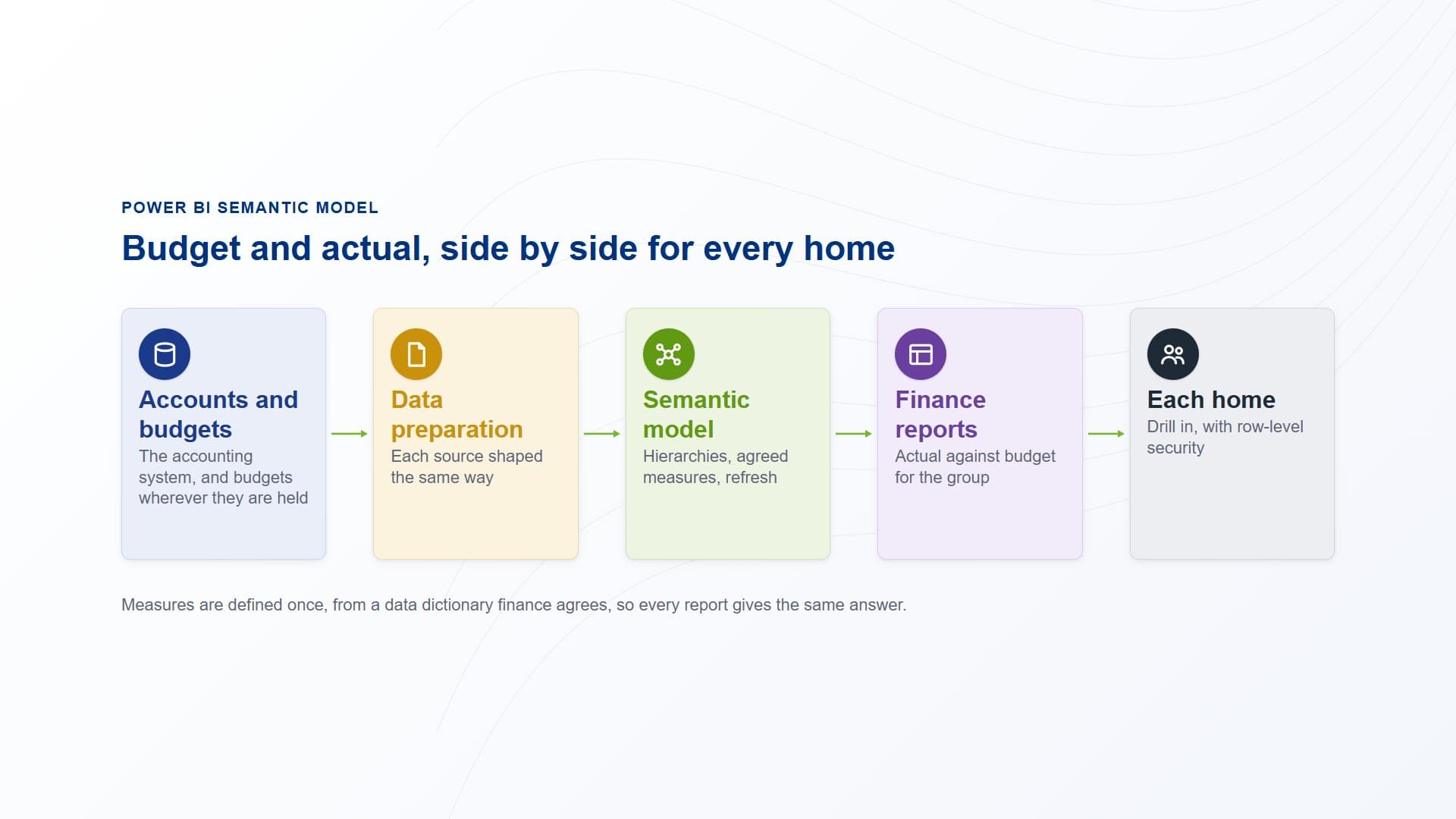
Actuals from the accounting system and budgets from wherever they are held are prepared and loaded into one semantic model on a refresh schedule. The finance reports built on it show actual against budget for the group and for each home.
How PTR builds it: from the ledger to the report
Agree the definitions with finance
We work with your finance team on a data dictionary: what each measure means, how cost codes group, and how homes and projects roll up. The model is built to that agreement, not to whichever report happened to be written first.
Connect the accounts and the budgets
We connect securely to an accounting system on your own servers through the on-premises data gateway, and to your budgets and other finance data wherever they are held. Each source is prepared with Power Query into the same shape, so cost codes and homes line up across them.
Build the model and its security
We build the dimensions, hierarchies and DAX measures, set the refresh schedule, and add row-level security by home. Both the hierarchies and the security take care to get right, because together they decide what every report can show and to whom.
Build the finance reports
We build the finance report suite on the model: a top-level view of the key metrics, actual against budget, and a path down to each home and project. Because the reports share one model, your team can add new ones without redefining a single measure.
What it gives your teams: one view of the budget
- A single source of truth:actual and budget for every home come from one model, so the group total and the home figures agree.
- Consistent definitions:every report uses the measures set out in the data dictionary your finance team agreed.
- Drill in and out of the detail:move from the group to a home, a project or a cost-code group within the same report.
- The right view for each person:row-level security shows each manager the homes they are responsible for.
In practice, a home manager opens the same report as the finance team, sees their home's actual against budget, and drills into the cost codes behind a variance without asking for an export.
Our view: budget against actual is only as trustworthy as the definitions behind it. Agree them first, model them once, and every report across your homes gives the same answer.
Put budget and actual in one model
Stop rebuilding the budget comparison for every home by hand. Talk to us about a Power BI semantic model for finance reporting across your homes. PTR provides consultancy, training and support in Power BI, DAX and data modelling.
Call 0118 979 4000 or Email info@ptr.co.uk.
Related Articles
Frequently Asked Questions
Couldn’t find the answer you were looking for? Feel free to reach out to us! Our team of experts is here to help.
Contact Us