
Use Cases
How to get near-real-time reporting from Business Central
PTR can build a continuously updated, read-only Business Central replica in your own Azure, so time-sensitive Power BI reports use current data, not last night's restore.

Published
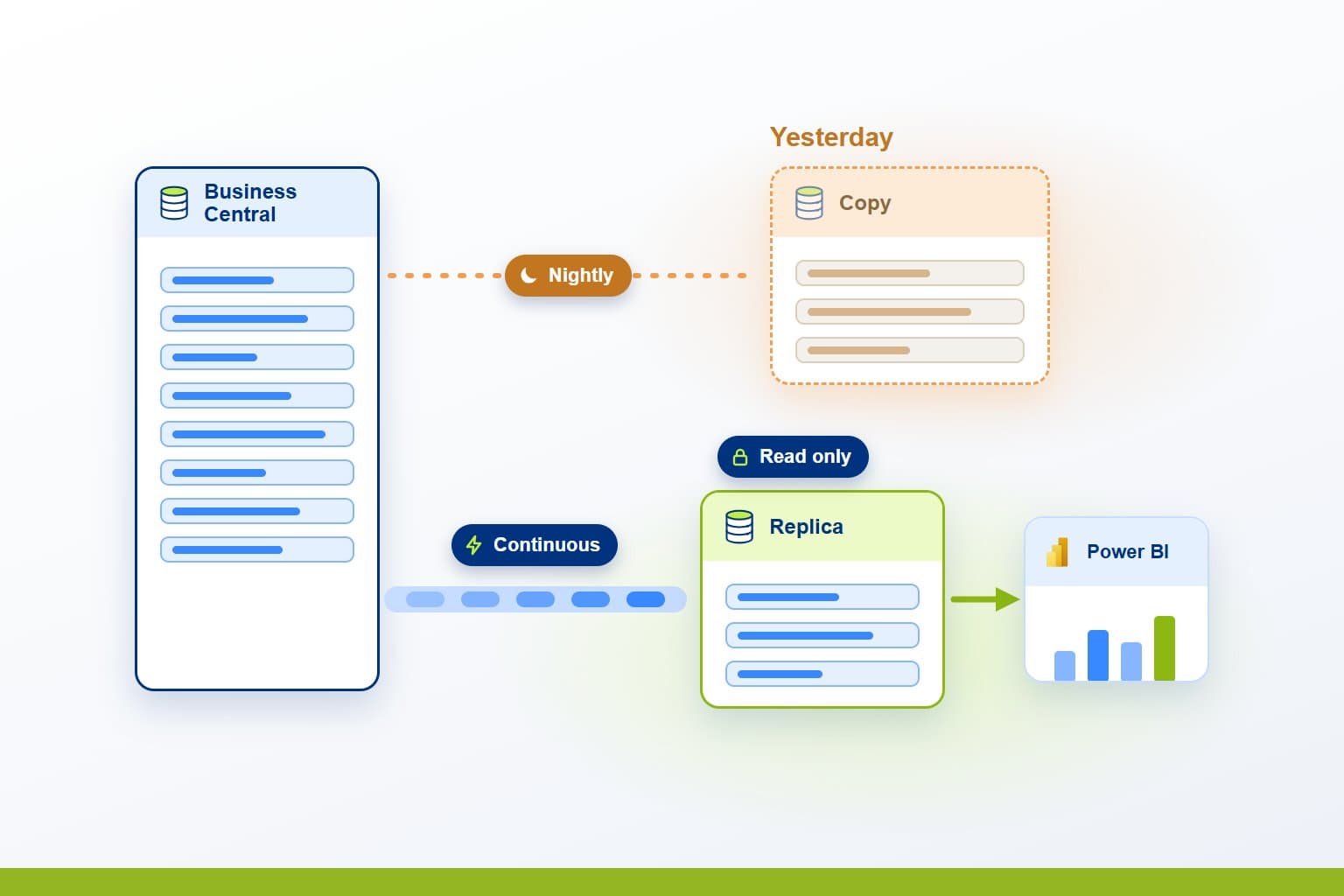
Business Central holds the orders, stock and ledgers a business runs on, and finance and operations teams want to see them as they change. Where a third party hosts the database, reports are often a day behind. PTR can set up a continuously updated, read-only copy in your own Azure subscription, so time-sensitive reports in Power BI read current data without touching the live system.
The Challenge: reports a day behind the ERP
When Business Central is hosted for you on a shared SQL instance, you cannot connect to its database directly. A nightly backup restored elsewhere is the usual workaround. It leaves every report a day behind, and a restore that overruns leaves the next morning's figures later still.
Teams need to be able to:
- See today's orders, stock and cash position, not yesterday's
- Report without slowing the system the business transacts in
- Keep time-sensitive reports apart from heavy analysis
- Know that a change to Business Central will not break reporting
What PTR can build: a continuous read-only replica
We can set up a read-only replica of the Business Central database that is kept up to date by continuous replication, rather than rebuilt each night. It lives in your Azure subscription, so you control access, cost and the size of the service. Power BI reads it with DirectQuery, so each report asks the replica for the latest rows when someone opens it.
[
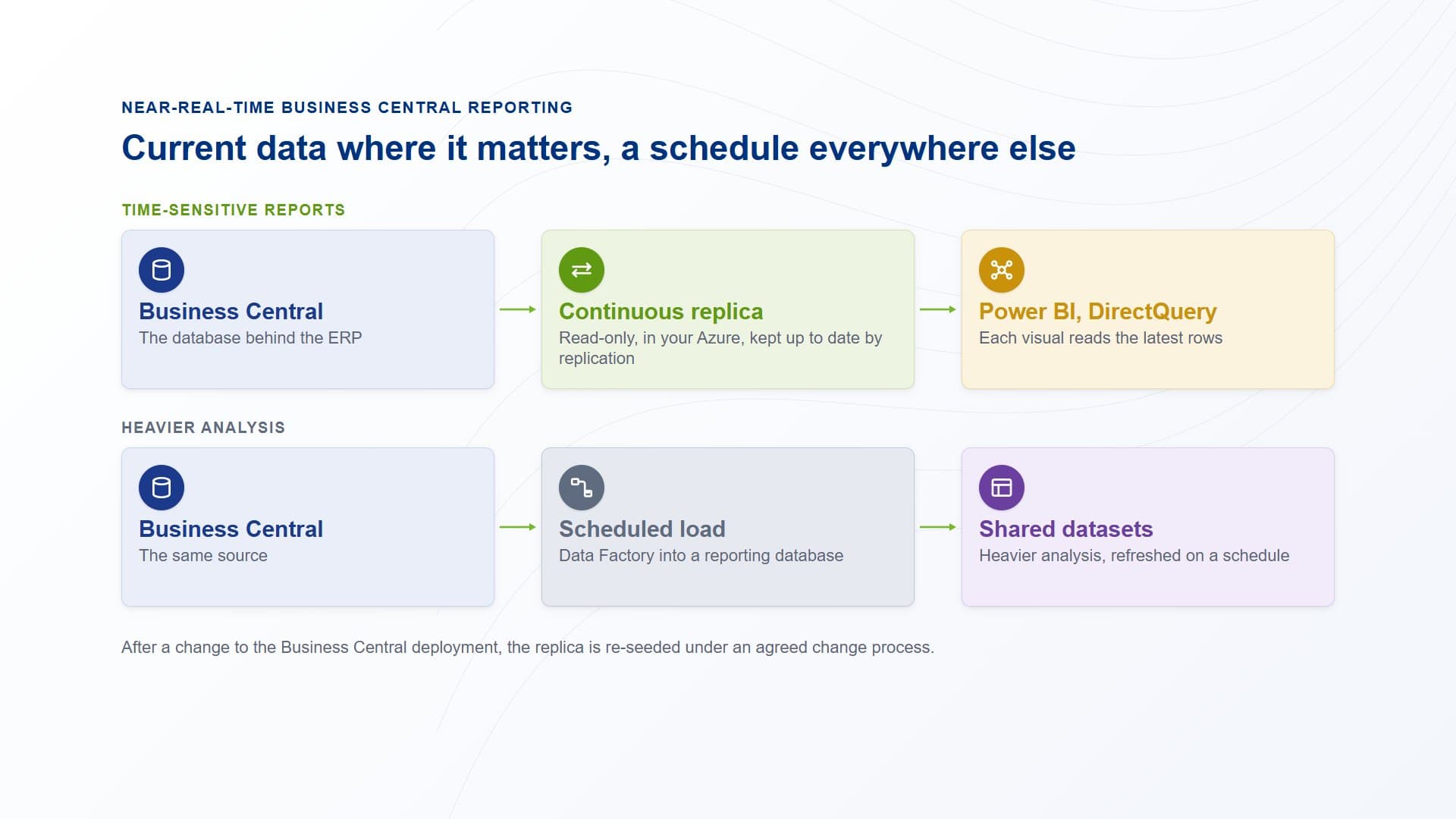
Business Central is replicated continuously into a read-only replica in your Azure, and time-sensitive Power BI reports read it with DirectQuery.
How PTR builds it: from nightly copy to continuous
Agree what needs to be current
Not every report needs current data. We work with your teams to pick the few that do, such as order intake, stock and cash. Those use the replica. Everything else stays on a scheduled load into a reporting database, where heavy analysis and shared datasets belong.
Set up the replica in your Azure
We size the replica to the reports that will use it. How the copy is made depends on how Business Central is run. For a hosted or on-premises database we replicate it into your Azure. For Business Central online, Microsoft does not offer direct database access, so reads go through its APIs on a read scale-out replica.
Connect Power BI with DirectQuery
We build the model and reports so each visual queries the replica directly. We keep queries light, because DirectQuery sends one to the source for every visual, and we plan the load the replica must carry.
Put change management around it
After a change to the Business Central deployment, the replica has to be re-seeded. We agree a change process with whoever hosts the system, so re-seeding is planned and reporting is not caught out.
Why PTR: we have done this before
Teams that chase current figures out of a hosted ERP tend to hit the same three walls. They put every report on live data when only a few need it, they let DirectQuery weigh on the source until the system slows, and they discover a deployment change only when the replica falls behind.
We have been through each of them, with Business Central data feeding Power BI, and we plan for them from the first day. Your build starts from what already works, so less of the budget goes on rework and discovery.
What it gives your teams: current figures, safely
- Current data:time-sensitive reports read a continuously updated copy, not last night's restore.
- The live system left alone:reporting queries run against the replica, not the database the business transacts in.
- Your own Azure:you hold the replica, so you decide who reads it and how much it costs to run.
- Fast and heavy kept apart:the replica serves urgent reports, and a scheduled warehouse serves the larger analysis.
In practice, a finance lead opens the cash position report at the start of the day and sees yesterday's postings and this morning's, without waiting for a restore. The teams who build heavier analysis carry on using the warehouse.
Our view: near-real-time is a choice to make report by report. Put the few reports that need current data on a replica, leave the rest on a schedule, and agree how changes to the ERP reach both.
Get current Business Central figures into Power BI
Stop reporting on yesterday's data. Talk to us about a read-only replica for your Business Central reporting. PTR provides consultancy, training and support in Power BI, Azure and data platforms.
Call 0118 979 4000 or Email info@ptr.co.uk.
Related Articles

Frequently Asked Questions
Couldn’t find the answer you were looking for? Feel free to reach out to us! Our team of experts is here to help.
Contact Us