

Use Cases
Replace spreadsheet data entry with controlled Power Apps forms
How PTR can replace typing into spreadsheet cells with Power Apps forms that check each entry as it is made, so mistakes are caught early and the ledger stays accurate.

Published · Updated
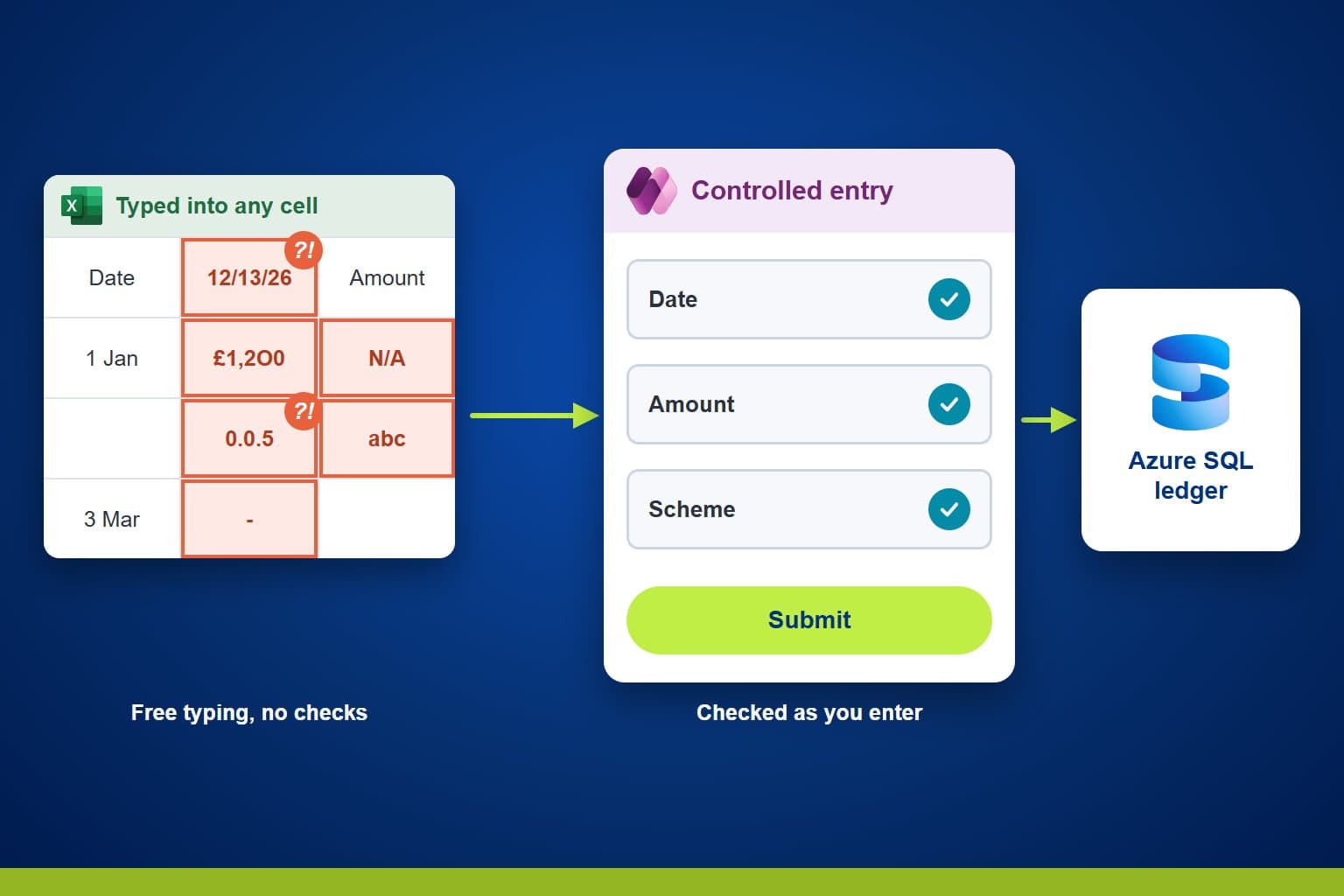
Financial services teams often record transactions by typing into workbook cells. PTR can replace that with Power Apps forms that check each entry as it is made and pass it to the database, so errors are caught at the point of entry and not found later.
The Challenge: entry that relies on habit
A spreadsheet accepts whatever is typed. A date in the wrong format, a figure in the wrong column or a missed field is only found when someone checks, or when a report does not add up.
Over time the checks become conventions: colours, notes and habits that new starters have to learn. Each added check also asks more of the people entering the data, and one slip can pass into every figure that depends on it.
Teams need to be able to:
- Catch mistakes when the entry is made, not afterwards
- Give each process a screen that asks only for what it needs
- Show users clear messages when something needs correcting
- Let several people enter data at the same time
- Keep the rules out of the screen, so they cannot drift
What PTR can build: a form for each process
We can build a Power Apps application with a form for each business process. Each form shows only the fields that process needs, and checks them as the user works: required fields, data types and valid values.
When the user submits, the entry goes to the database, where stored procedures apply the rules and save the result. The screen collects and checks, and the database decides, so the outcome is the same whichever screen sends the entry.
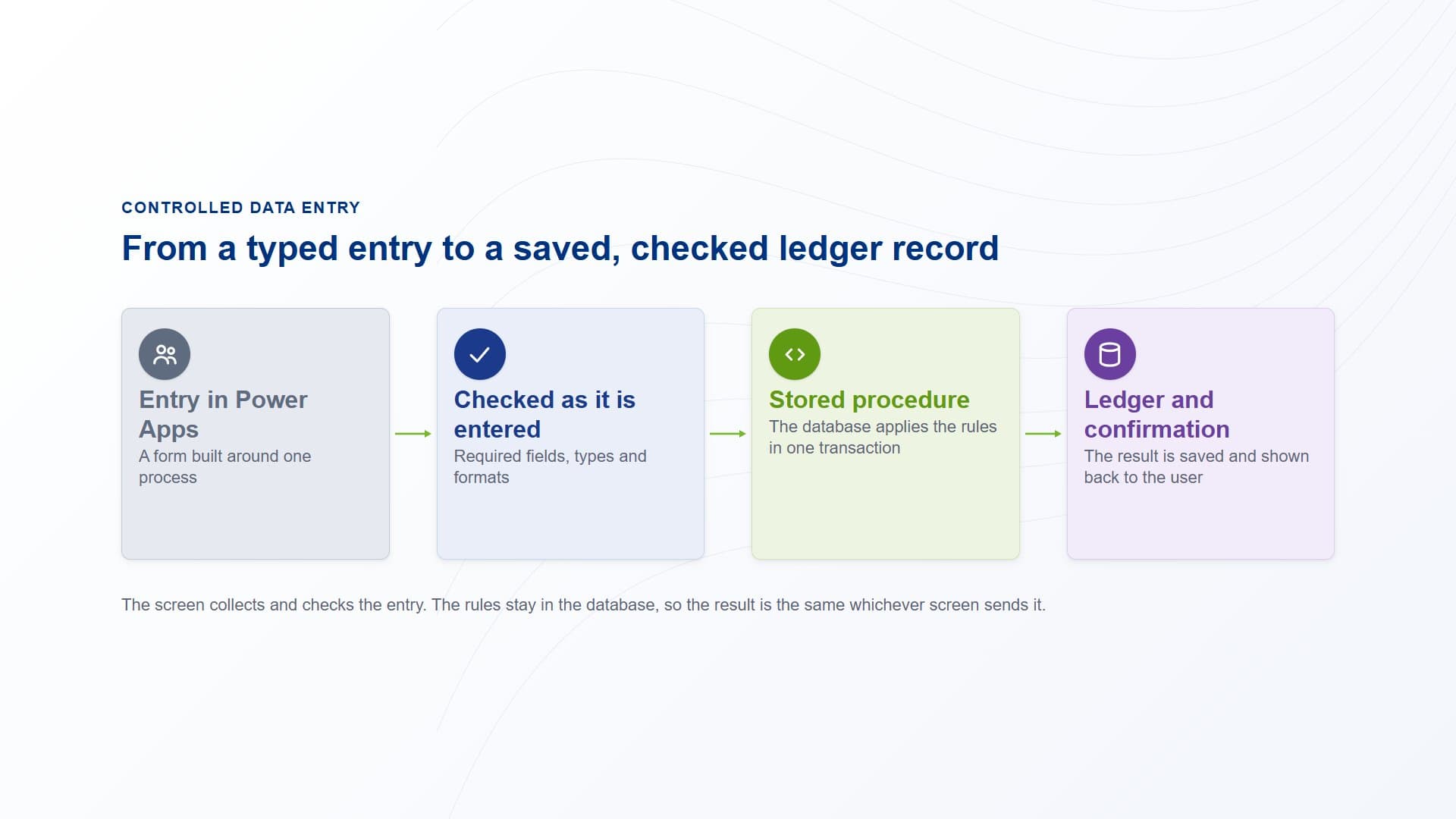
An entry is made in a Power Apps form, checked as it is entered, passed to a stored procedure that applies the rules, and saved to the ledger with a confirmation back to the user.
How PTR builds it: around the people who key the data
Start from the process, not the worksheet
We watch how people record transactions today and note where they hesitate or check by hand. Each form follows a business process, not the layout of an old sheet.
Check early, explain clearly
We set the validation on each form so a bad entry cannot be submitted, and write the error messages in plain language. If the database rejects an entry, the user stays on the screen and sees what to fix.
Keep the rules in the database
The forms call stored procedures for anything that calculates or changes the ledger. That keeps one version of every rule, and lets the forms change without touching the figures.
Test with the users, then support them
We test the forms together with the database and the reports, and run acceptance testing with the people who will use them. User feedback shapes the screens, and training and documentation help the move.
Why PTR: we build for adoption
A new application only succeeds if people trust it and use it. Forms designed around the people who use them build that confidence and support adoption, and adoption often decides whether a development project delivers its value.
Designing for adoption is what PTR does well. We build each screen with the people who key the data every day, and put the forms in front of users before go-live. What they get is user friendly and accurate, with controls that stop bad entries and rules held in the database where they can be tested. It is robust enough for daily use and clearly documented, so your team can support it.
What it gives your teams: cleaner data from the start
- Errors caught early:invalid entries are stopped at the screen, with a message that says what to correct.
- Less manual checking:validation replaces the conventions people had to remember.
- One set of rules:calculations stay in the database, whichever screen the entry came from.
- Easier onboarding:a form for each process is simpler to learn than a workbook full of habits.
In practice, a user opens the form for the task, fills in the fields, sees any problem straight away, and submits once the entry is valid.
Our view: check the entry where it is made. Data that is right when it is typed does not have to be corrected later.
Make data entry something you can trust
Stop relying on checks that live in people's heads. Talk to us about controlled data entry with Power Apps. PTR provides consultancy, training and support in Power Platform, Azure SQL and Power BI.
Call 0118 979 4000 or Email info@ptr.co.uk.

Frequently Asked Questions
Couldn’t find the answer you were looking for? Feel free to reach out to us! Our team of experts is here to help.
Contact Us