
Tech Tips
Spec-Driven Development for Data & BI on Microsoft Fabric and Azure
AI assistants can build a data solution in minutes, but without a fixed reference they drift from the brief and overspend capacity. This paper shows how a spec, decision log and reviewed plan keep AI-assisted Fabric and Azure delivery on target.

Introduction
AI coding assistants can draft a notebook, pipeline, semantic model or set of Azure resources in minutes, work that previously took days to scaffold. Tools that integrate directly with Microsoft Fabric can also create and connect workspace items themselves, rather than only writing code for a person to paste in.
The risk is that an assistant builds whatever it interprets the request to mean, and keeps building. Without a fixed reference, a project can diverge from the original business requirement within a few sessions.
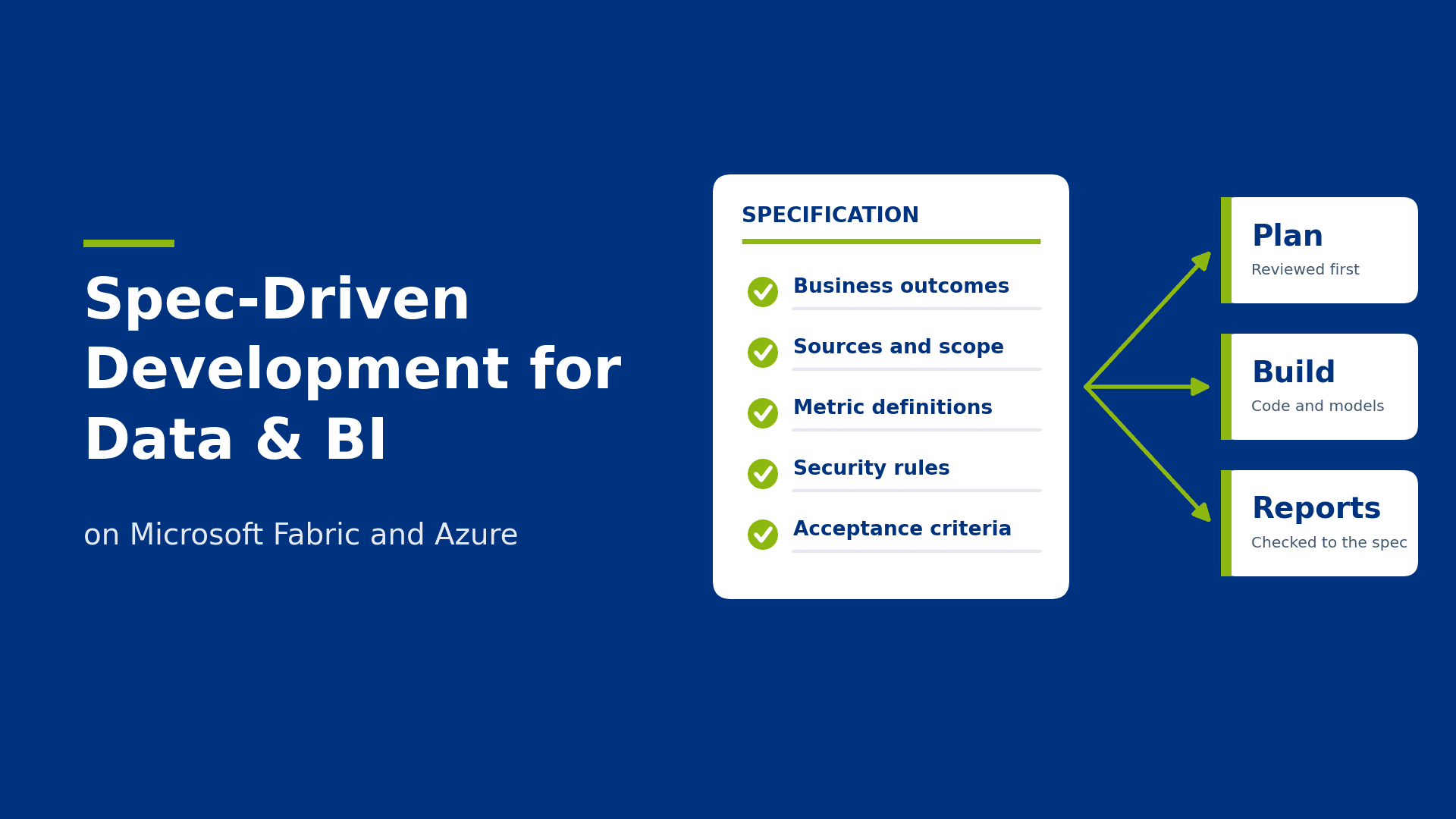
Specification-driven development (SDD) addresses this. The specification, rather than the prompt history or the code, is the authoritative description of what is being built. The plan, pipelines, models and reports are derived from it and checked against it.
A single source of truth for the build as well as the data
When two reports show different revenue figures for the same month, users stop trusting both, and someone has to spend time reconciling them. Fabric’s OneLake is designed around the opposite principle: one copy of the data, used in many ways.
The same problem arises in AI-assisted development. When an assistant generates code, the conversation becomes an informal source of truth. Requirements end up spread across chat threads, earlier prompts and code comments, and each new session starts from a slightly different understanding of the goal.
A specification document replaces that with one versioned place that records what the solution must do, which data it uses, how metrics are defined and what “done” means. If it is not in the spec, it is not a requirement.
Risks of unconstrained AI-assisted development
Giving an assistant a one-line request can work for a small script. On larger work it more often produces a solution that few people fully understand and that is hard to change safely. Four problems recur.
Scope drift. Each prompt can move the solution slightly. The assistant may add a table, an extra transformation or a dimension nobody requested. Each addition may be reasonable alone, but together they produce something different from what was agreed.
Code drift. Without a reference point, conventions vary between sessions. One notebook uses PySpark and the next uses pandas, naming changes between lakehouse layers, and the same business rule is implemented twice with small differences. This makes the code harder to review and maintain.
Repeated re-prompting. When output is wrong, the usual response is another prompt: “fix the join” or “revert that change”. Each round consumes tokens and time, and because the assistant is responding to the latest correction rather than a stable goal, a fix can break something that previously worked.
Over-provisioned resources. An assistant optimises for code that works, which is not always the same as a proportionate design. In Azure and Fabric this can mean a larger capacity or SKU than the workload needs, full refreshes where incremental loads would do, Spark jobs for data a simple query could handle, or duplicated copies of data across workspaces. These choices appear on the bill, and in Fabric they draw on the same capacity units as every other workload in the organisation.
In each case the assistant is following its instructions one prompt at a time. What is missing is a stable definition of the end state.
What a data specification contains
A specification should be precise enough that a person or an AI could build from it without guessing, but it does not need to be long. For a Fabric or Azure data project it usually covers:
Business outcomes. The decisions the solution supports and who uses it, so later choices can be tested against a real need.
Sources and scope. The systems that feed the solution, what is in and out of scope, and expected volumes and refresh frequencies.
Architecture and platform choices. For example lakehouse or warehouse, medallion layers, Direct Lake or import mode, and the capacity the solution is expected to run within.
Metric definitions. How each KPI is calculated, including filters, grain, time logic and edge cases. Terms such as “active customer” or “net revenue” can mean different things in different teams.
Data quality rules. What counts as valid data and what happens when data fails the check.
Security and governance. Row-level security, workspace roles, sensitivity labels and any data residency constraints.
Standards. Naming conventions, preferred languages and patterns, and how code is structured and tested.
Acceptance criteria. How each part will be judged finished and correct.
Metric definitions need particular care because they determine every number users see. If the spec states how a measure is calculated, the assistant can write DAX or SQL to match it, and reviewers can check the code against the definition rather than against their own assumptions.
Decision logs
Specs change, and they should: stakeholders learn things, source systems turn out to be messier than expected, and priorities shift. The risk is change that happens without a record, so nobody can later say why the solution works the way it does.
A decision log sits alongside the spec and records each significant change: what was decided, when, by whom, which alternatives were considered and why this option was chosen. It keeps the history behind the current state of the spec.
This is particularly useful for metric definitions. Six months after go-live, someone will ask why the churn figure excludes customers on trial plans, or why the financial year starts in April in one report and January in another. With a decision log the answer is a search rather than a reconstruction from memory.
The log also helps the assistant. If it can see past decisions and the reasoning behind them, it is less likely to reverse a deliberate choice.
Reviewing the plan before build
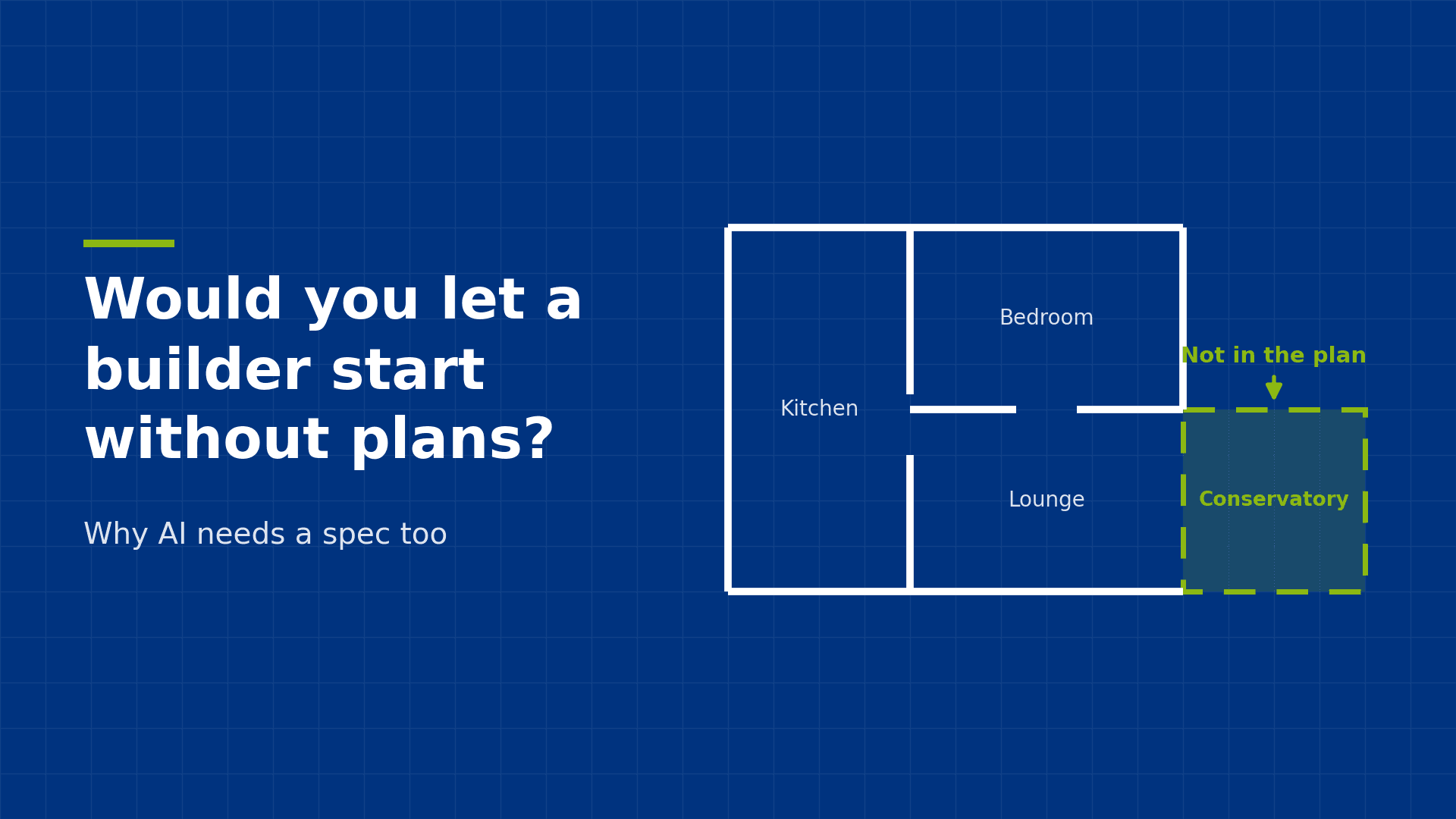
SDD moves the main decisions to the point where changing them is cheapest. Instead of asking the assistant to build immediately, ask it to read the spec and produce a plan covering the proposed architecture, the work packages, the build order and the assumptions it is making.
A plan is a document people can review. The team and the client can comment on it, challenge assumptions and find gaps while a change costs only an edit. Familiar tooling works well here: raising the plan as a pull request in Azure DevOps or GitHub lets reviewers comment on specific lines, and those comments can be fed back to refine the plan.
The build starts once the plan is agreed. Each work package then has a brief, a link to the requirement it satisfies and acceptance criteria to test against. This is also the point to separate what the assistant can build unattended from what needs a person, such as granting access to source systems, configuring tenant settings or signing off a metric with the business.
From spec change to code change
Once the spec is the source of truth and is held in version control, it can drive automation. A change to the spec, such as a revised metric definition or a new source table, can start a pipeline that asks the assistant to work out what must change, update the affected code, run the tests and raise a pull request.
In a Fabric and Azure setting, the spec can sit in a Git repository connected to Fabric workspaces through Git integration. A commit to the spec triggers an Azure DevOps pipeline or GitHub Action, which updates the relevant notebooks, SQL or semantic model definitions on a branch. Fabric deployment pipelines then promote the change from development to test to production as usual.
Automation should produce a proposed change, not a live one. The pull request shows exactly which lines changed, the decision log records why, and a person approves it before it approaches production. This removes the manual work of keeping code in step with the spec without removing control over what ships.
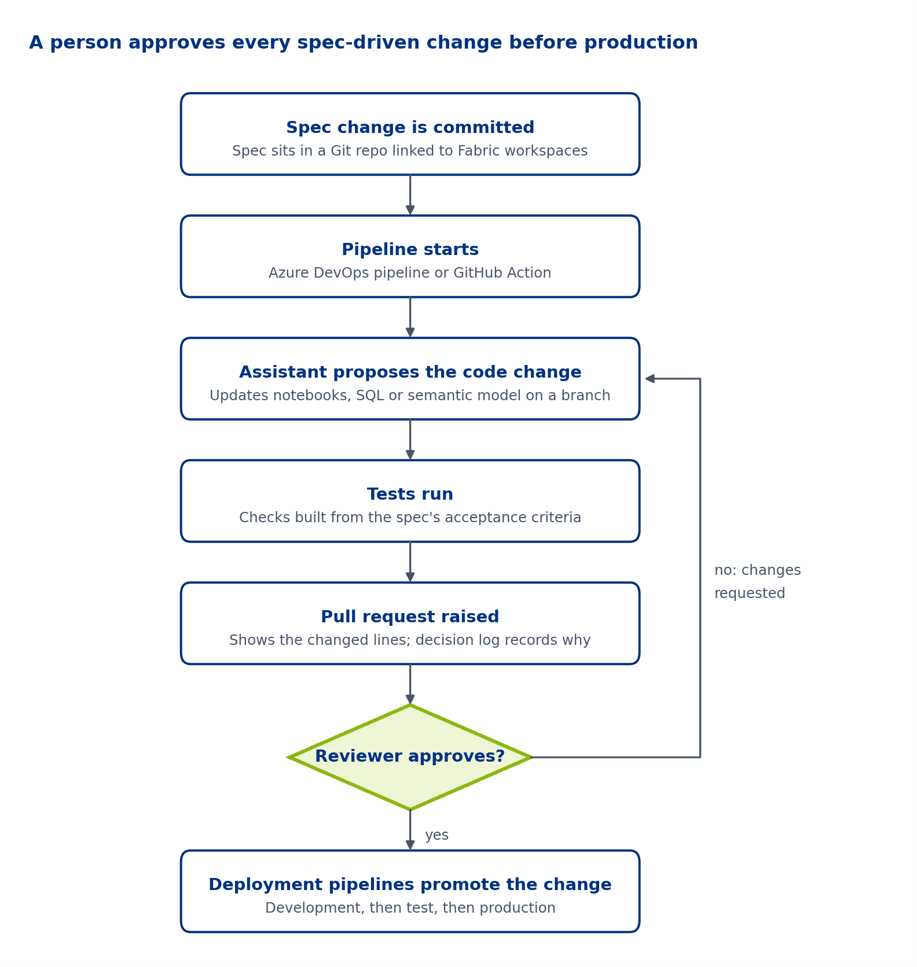
A rejected pull request returns to the assistant; only an approved one moves on to deployment.
Practical considerations
Several choices determine whether SDD reduces effort or only adds paperwork.
Keep a person accountable. The assistant can draft the spec, the plan and the code, but people remain responsible for them. Reviewers need enough Fabric, DAX and SQL knowledge to judge what is proposed, not only to approve it.
Match the detail to the risk. A one-off report does not need the same rigour as an enterprise data platform. Scale the spec to the risk and expected lifespan of the solution.
Treat the spec like code. Store it in version control, review changes to it and keep it next to the solution it describes. A spec on a shared drive that nobody updates stops reflecting the solution.
Limit data and access. AI tools should not need production credentials or sensitive data. Use development workspaces, sample or masked data and least-privilege access, and confirm that each tool is approved under your organisation’s policies.
Put cost in the spec. State expected capacity, refresh schedules and data volumes, so that the assistant and reviewers can spot an over-engineered design before it is deployed.
Test against the spec. Acceptance criteria and metric definitions translate into automated tests. Checking that a measure returns the expected value for a known dataset catches drift earlier than a user noticing an unusual number in a dashboard.
Summary
AI assistants have shortened the time it takes to build data and BI solutions. SDD gives that speed a fixed target: a specification as the source of truth, a decision log that records why it changed, and a plan reviewed before the build starts.
Used together, these reduce scope and code drift, limit the rework caused by repeated re-prompting, and make capacity and cost choices visible before deployment. It applies to the build process the principle OneLake applies to data: one trusted source that everything else is checked against.
Next steps
PTR combines Microsoft Fabric and Azure consultancy with training, so the people who review AI-generated work can be equipped to judge it. To discuss how a spec-driven approach could fit your Fabric or Azure data projects, contact the PTR team through our enquiries page, by email at info@ptr.co.uk or on 0118 979 4000.
SB
Stephanie Butchart
Senior Business Intelligence Consultant
An MCSA-certified BI Consultant with 8 years' experience, Stephanie is proficient and knowledgeable across Microsoft technologies with a full range of platforms - from traditional on-premise data warehousing through to Azure BI solutions and Power BI.
Frequently Asked Questions
Couldn’t find the answer you were looking for? Feel free to reach out to us! Our team of experts is here to help.
Contact Us